Smart Website Workshop · Live Guide
Back to WorkshopBefore we begin
Let's Get You Started
You're in the right place! While we wait to begin, take this first step so we can make the most of our time together.
Your first step
Text VBN22M
to415-726-3224
This starts your free account so you can build along with me. No payment will be taken at this step.
This is a US number. Most plans include free unlimited texting to Canadian and US numbers, but please double-check your own plan to be sure.
Text the code.
Follow the account setup prompts.
Keep your phone nearby and come back to this screen.
Already signed up? Gather your business name, service area, contact details, logo and a photo.
Having trouble? Let me know in the meeting chat.
Welcome
Your Website Bestie Is Here
You bring the ideas. Learn how to turn them into a website people can use.
Today's plan
- 1 See what a smart website can do.
- 2 Explore real examples from my business.
- 3 Watch me make changes live.
- 4 Build your own website.
- 5 Learn how to make the most of your five edits.

Tory Akene
AI Certified REALTOR and Coach
What kind of business do you run? Drop it in the chat.
Why it matters
Let's Talk About Time and Money
Do you have a website now?
What did you pay to get it built?
What do you pay each month?
My own experience
About three years ago, I paid roughly $1,500 to set up a website through AgentLocator, plus about $400 each month.
$1,500 setup + $4,800 in monthly fees = about $6,300 in the first year
My past website costs, before advertising and any applicable taxes.
That website brought me leads with paid ads. It also came with an upfront cost and an ongoing monthly commitment.
What are your current website costs?
Your first-year cost total
$0
This is a cost total for reference, not a savings estimate. It shows setup plus your monthly fee over twelve months.
A quick check
Let's Take a Quick Look
Want to volunteer? Drop your website link in the chat.
Open the Website Audit
This tool gives us a snapshot of what we could improve.
SEO helps search engines understand your website.
AEO helps answer tools understand information they may use in answers.
An audit score is a snapshot for conversation. It is not a Google ranking, and no single score guarantees traffic, leads or AI recommendations.
How it helps
Give People a Clear Next Step
SAVE TIME
Make updates, share useful information and answer common questions more easily.
MANAGE COSTS
Handle some work yourself that you might otherwise pay someone to do.
SUPPORT NEW BUSINESS
Help visitors understand your services, build trust and make an inquiry.
The path a website supports
A website supports the path to a sale. Traffic, your offer and follow-up still matter.
"This has already saved me time and thousands of dollars in my own business."
Tory Akene
Today's offer
Start With Something You Can Use
What you can create today
- Create your free website.
- Get a link you can share.
- Have a way for people to contact you.
- Use five edits to refine it.
- This is not a seven-day trial.
Some examples I'll show use my own subscription
Scheduled content and ongoing automated updates are paid features. They depend on the plan and setup you choose, and they are not part of the free starter offer.
No permanent hosting guarantee is made here, and there is no set number of AI agents included. Keep it simple: the free offer gets you a site you can use and refine.
Real examples
One Tool. So Many Ways to Use It.
These are live sites from my own business. This is the launch point for a quick tour, not several full websites stacked on one screen.
The Tory Network
Her REALTOR website- Who it helps
- Buyers and sellers looking for a Hamilton-area REALTOR.
- What a visitor can do next
- Contact Tory to start a conversation.
- Why I created it
- A home base for listings, leads and her brand.
Life on Hamilton Mountain
Her community website- Who it helps
- People curious about the Hamilton Mountain area.
- What a visitor can do next
- Browse local guides and ask about the neighbourhood.
- Why I created it
- A place for the community to find local answers.
Join REAL with Tory
Her agent attraction website- Who it helps
- Agents thinking about switching to REAL Brokerage.
- What a visitor can do next
- Compare the offer, then join or book a call.
- Why I created it
- A guide that helps agents make the switch.
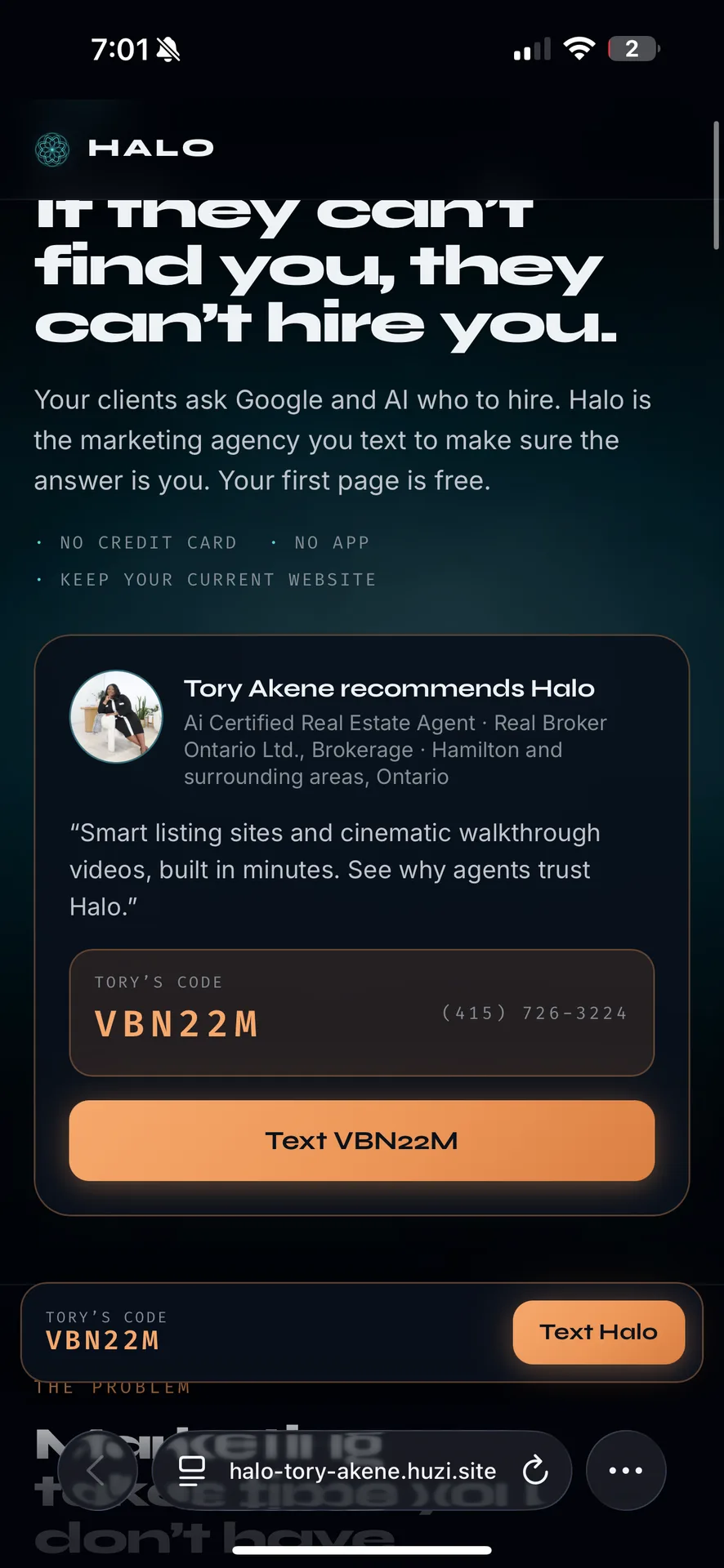
Focused landing page
Her focused landing page- Who it helps
- Anyone who wants a simple, one-step way to start a free smart website.
- What a visitor can do next
- Text the code on the page to get started.
- Why I created it
- To give people a no-credit-card way to begin building.
Listing page ideas you can build
Virtual staging is another example where supported. Any virtually staged image on my listing pages is clearly labelled as such.
Settings first
Help It Get to Know Your Business
I'll walk through these on my real Settings page. This is the checklist, not a mock screen.
As You Grow
- Custom domains
- Analytics and Meta Pixel
- CRM connections
- Team or VA access
- Content schedules
Whether these are available, and how they are set up, depends on the plan and your setup. For teams and VAs, use the supported access options Halo provides. Never share passwords or verification codes with anyone.
Live demo
You Don't Have to Know How to Do It. You Just Have to Ask.
Demo prompt
"Give me a business type and one thing its customers need help with."
I'll use an idea like that to demonstrate creating a focused landing page in my own account.
Real website update
I'll add a "Conditionally Sold" banner to one of my listing pages, after confirming the correct property and status.
These are teaching prompts only. Building this page made neither change.
A short, clear link makes a page easier to share.
Beyond pages
Meet Your Marketing Helper
Sample requests, shown as examples
-
Add these approved photos to my page.
-
Use this PDF to write a clear summary.
-
Turn these meeting notes into a helpful blog draft.
-
What questions should this page answer?
-
Create a social media carousel from this article.
-
Suggest useful local topics for my audience.
Which of these are supported depends on the plan and the file type.
Share only content you have permission to use. Check facts and remove private client details.
For design, say: use the style I like as inspiration, then create original work in my brand. Never copy another business's words, images or identity.
Your turn
Let's Build Yours
Fill in what you know. Your answers stay in this browser tab and are never sent or saved as leads.
Keep this tab open while you build. Your worksheet is stored only in this browser session.
For Any Business Owner
[Final prompt template to be added by Tory]
For REALTORS
[Final prompt template to be added by Tory]
Your build checklist
- 1 Fill in your details.
- 2 Add your approved photos and logo.
- 3 Submit your first build request.
- 4 Review your page.
- 5 Test your contact details and form.
- 6 Save your website link.
Copy and paste
Your Prompt, Ready to Copy
Here's how I recommend using these: copy one of the prompts below, paste it into ChatGPT, Claude, Gemini, or whatever AI program you use, and let the AI ask you the questions it needs so you can build out your answers. When your details are filled in, copy the finished prompt and text it to Halo to build your website. It's the easiest way to make your first build as complete as it can be.
- 1
Copy the long or short version below.
- 2
Paste it into ChatGPT, Claude, Gemini, or whatever AI program you use.
- 3
Let the AI ask you the questions it needs, and answer them to build out your details.
- 4
Copy the finished prompt and text it to Halo to build your website.
Long version
The full brief, with every detail Halo can use for your first build.
Create a smart website for my business using the details below. Make it feel personal, clear and useful so visitors understand who I help, what I offer and how to reach me.
I have five free edits, so use these details to make the first build as complete as possible. Ask any essential missing questions together before building.
MY BUSINESS
My name: [NAME]
Business name: [BUSINESS NAME]
My role or industry: [ROLE / INDUSTRY]
Location and service area: [CITY / NEIGHBOURHOOD / REGION]
Who I help: [DESCRIBE YOUR IDEAL CUSTOMER]
What they need help with: [MAIN QUESTIONS, PROBLEMS OR GOALS]
My services: [LIST YOUR MAIN SERVICES]
What makes my approach different: [HOW YOU HELP, YOUR EXPERIENCE OR YOUR PROCESS]
A little about me: [YOUR STORY AND WHY YOU DO THIS WORK]
MY BRAND
Brand colours: [COLOURS OR “SUGGEST COLOURS FOR ME”]
Design style: [WARM / MODERN / SIMPLE / BOLD / OTHER]
My voice: [FOR EXAMPLE: FRIENDLY, CLEAR AND HELPFUL]
Logo and photos: [ATTACH WHAT YOU HAVE]
Writing sample, if available: [PASTE SOMETHING THAT SOUNDS LIKE YOU]
Avoid these words or phrases: [LIST]
MY WEBSITE'S MAIN GOAL
The main thing I want visitors to do:
[BOOK A CALL / REQUEST A QUOTE / ASK A QUESTION / GET A GUIDE / OTHER]
What they will receive or what happens next:
[EXPLAIN THE OFFER AND YOUR NEXT STEP]
Contact email: [EMAIL]
Phone: [PHONE]
Booking link: [LINK, IF AVAILABLE]
Social media links: [LINKS]
BUILD THESE SECTIONS
	1	A strong opening headline that explains who I help and how. Include one clear action button.
	2	A short section showing that I understand my customers’ needs.
	3	My main services, with a simple explanation of how each helps.
	4	About me, using my story and photo.
	5	A clear “How It Works” section so people know what happens when they contact me.
	6	Trust and proof, using only the information I provide:
Testimonials: [PASTE APPROVED REVIEWS OR LEAVE BLANK]
Credentials: [DETAILS]
Awards or accomplishments: [DETAILS AND DATES]
Do not invent reviews, results, awards or experience. Leave out empty sections.
	7	A useful checklist that helps my audience take a first step.
Checklist topic: [TOPIC OR “SUGGEST ONE FOR MY AUDIENCE”]
Display it on the page if a download is not available.
	8	A short inquiry form asking for first name, email and:
[ONE USEFUL QUESTION ABOUT THEIR NEEDS]
Explain what happens after they submit. Use the supported lead notification method and tell me where enquiries will arrive. Keep any optional marketing signup separate.
	9	Helpful FAQs about my services and process. Ask me for answers where needed rather than inventing prices or policies.
	10	A final invitation to take the next step, with my contact details.
IF I WORK IN REAL ESTATE
My brokerage’s full name: [NAME]
Team name, if applicable: [NAME]
My main focus: [BUYERS / SELLERS / INVESTORS / OTHER]
My niche: [FIRST-TIME BUYERS / DOWNSIZERS / RELOCATION / OTHER]
Required brokerage wording: [DETAILS]
Use REALTOR® correctly. Explain how I help clients plan, understand the steps, manage paperwork and stay on top of key dates. Include buyer and seller sections where they fit my focus.
FEATURES AND FINAL CHECKS
Build within my current plan. If only one page is included, organise it into clear sections with navigation.
Tell me which requested features require an upgrade before activating them. Do not purchase anything.
Make the website easy to read and use on a phone. Use clear headings and accurate business and location details to help search engines and AI tools understand the page.
Check buttons, links and forms. Do not publish bracketed placeholders or pretend features.
When finished, send me my website link, explain how enquiries reach me and list anything that still needs my input.
Short version
The quick brief, hitting the essentials when you want to get going fast.
Hers the short one:
Build a website for [BUSINESS NAME].
I help [WHO YOU HELP] with [YOUR SERVICES] in [LOCATION].
About me: [A FEW WORDS ABOUT YOU]
Use [COLOURS] and a [FRIENDLY / PROFESSIONAL / BOLD] tone.
Include my services, an about-me section, FAQs and a contact form.
My main goal is for visitors to [CONTACT ME / BOOK A CALL / REQUEST A QUOTE].
Email: [EMAIL]
Phone: [PHONE]
Brokerage, if applicable: [NAME]
Use my attached photos and logo. Make it easy to use on phones. Stay within my free plan and ask any key questions before building.
Replace every [BRACKETED PLACEHOLDER] with your own details before you send it. Then text the finished prompt to Halo and your website build starts.
Edits
Review First. Then Ask for Changes.
A smarter order for your five edits
- 1 Facts and contact details.
- 2 Headline and voice.
- 3 Photos, colours and layout.
- 4 Offer, form and next step.
- 5 Final fixes, or save an edit for later.
Halo determines how edits are counted. Several small changes in one message may still count as one edit or more than one; no promise is made either way.
Your edit-request template
On [page or section], change [current item] to [exact request]. My goal is [goal]. Keep everything else the same. Tell me if this requires a paid feature or more than one edit before proceeding.
Keep going
You Have a Place to Start
Share your link.
Put your website where your customers will see it.
Watch for questions and inquiries.
That is where the follow-up conversation starts.
Improve the page as your business grows.
A page is a starting point, not a finish line.
A published page can keep sharing information and collecting inquiries on its own. Scheduled content and other ongoing work require the right plan and setup. Business details and facts still need a human review.
You can keep learning and building on your own.
Want Me Beside You?
If you'd like one-on-one help getting started and support with your setup during the first month, I offer this for $400.
No checkout here. Ask Tory to arrange it. This line describes one-on-one help for the first month; there is no promise of unlimited support.
Resources
Everything in One Place
Signup steps
Text the code, follow the setup prompts, then keep your phone nearby and come back to this screen.
Start building
Tory’s exact referral link for Halo: halotoryakene.huzi.site
I may earn a referral payment if you choose a paid plan through my link.
Website audit
A quick snapshot of what your website could improve: agentaudit.withhuzi.com
Approved website prompt templates
[Templates to be added by Tory]
Five-edit checklist
Facts first, then headline and voice, then photos and layout, then offer and form, then final fixes.
Need help right now? Call Tory at 289-814-TORY (8679), or book a time on her calendar.
Pricing
Halo Website Pricing
Core Plan
2 fully built AI powered websites
$99 per month
Add what you need
Halo pricing shown through The Krem Institute of Artificial Intelligence
Thank you
Thank You for Being Here
Thank you so much for spending this time with me today. I hope you're leaving with a website you feel proud of and plenty of ideas for what to build next. You're always welcome back, and I'm cheering you on.
Not signed up yet? We can fix that.
Text VBN22M to 415-726-3224
Text the code to 415-726-3224 to start your free account. No payment will be taken at this step.
This is a US number. Most plans include free unlimited texting to Canadian and US numbers, but please double-check your own plan to be sure.
If you'd like to talk more, my phone is 289-814-TORY (8679) and you can grab a time on my calendar any time. I'm so happy you came.
Attended a session? Find everything in one place on the workshop thank-you page.